Vacancy → Vibrancy: Your Step-by-Step Game Plan
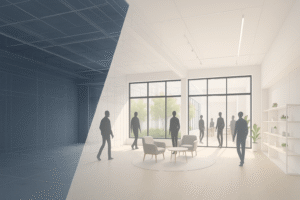
Empty space isn’t a failure—it’s a blank stage. Use this simple plan to go from “lights off” to “grand opening.”
Why this matters: With the right concept and a tight plan, you can move from “dark” to “earning” faster than you think. Here’s the owner-friendly playbook we use to turn vacancies into income.
1) Quick Viability Scan (15–30 minutes)
A fast scan tells you if the space and neighborhood can actually support your idea before you spend real money. It keeps you from chasing concepts that won’t park well, won’t pull foot traffic, or won’t be easy to reach—and gives you confidence to go deeper when the signs are good. Listed are five areas to gather information about the space in question (HINT: you can use online search engines, Google Maps, AI, and talk with a trusted realestate agent or broker for this info):
Neighbors & foot traffic: schools, offices, gyms, anchors, transit—count nearby people magnets.
Demand clues: what’s missing within a 5–10 minute drive (childcare, clinics, fitness, maker studios, ghost kitchens, learning centers)?
Access & parking: count stalls, note loading doors and turn-ins.
Fast math: what rent would make you smile? What’s your minimum?
Pro move: Snap 10 photos (front, sides, back, interior wide shots, MEPs, parking, loading). Future you will thank you.
2) Zoning & Codes—What’s Actually Allowed
“By-right” means your use is allowed under current zoning with standard permits; “conditional use” means it might be allowed, but only with special approval or conditions. ADA (Americans with Disabilities Act) sets access rules—think ramps, door widths, restrooms, and parking. To get answers fast, check your city’s online zoning map/code, call the planning desk, or book a quick pre-application meeting—bring the address, a rough plan, and a one-paragraph description of the use. Now fill in the following information for zoning and codes to consider:
By-right vs. conditional use: know which ideas fit now, and which need approvals.
Common tripwires: parking ratios, occupancy, exits/egress, ADA, ventilation, sprinklers.
Permit packet basics: site plan, rough floor plan, a short “intent memo,” and your best photos.
3) Build a Shortlist (Pick 3 Concepts)
Typical risks include parking strain, limited power/water/vent paths (MEP = Mechanical, Electrical, and Plumbing limits), noise/odor conflicts with neighbors, permit timing, and build-out costs that outgrow the rent you can charge. Market-fit is a risk too—great ideas flop if the neighborhood doesn’t want them. List top risks for each concept and one concrete step to reduce each risk.
Sample options:
Ghost kitchen (delivery-first brands)
Clinic/health services (PT, dental, urgent care)
Maker/creative studios (shared tools + classes)
Boutique gym/training
Micro-fulfillment/last-mile
For each concept, list: space needs, build-out intensity (light/medium/heavy), achievable rent band, likely lease term, top 3 risks.
4) Draft Your Conversion Calendar
MEPs = Mechanical, Electrical, and Plumbing—the backbone systems inspectors focus on and the biggest drivers of cost/time. LOIs (Letters of Intent) are simple, non-binding documents that outline main lease terms before attorneys draft the full agreement. A clear calendar aligns design, bids, inspections, and pre-leasing so marketing starts before construction ends. With these in mind time the following phases:
Phase A – Due diligence (2–4 weeks): zoning screen, test-fit sketches, contractor walkthrough.
Phase B – Design & bids (3–6 weeks): code items, MEPs, finishes; get two comparable bids.
Phase C – Build (8–16 weeks): demo → rough-in → inspections → finishes.
Phase D – Launch (2–4 weeks): photos, listing, outreach, tours, LOIs, lease.
5) Budget Buckets (So Surprises Don’t Bite)
The budget buckets help you predict where money will go, limit surprises, and protect cash with a smart contingency. FF&E = Furniture, Fixtures, and Equipment—the movable items (lighting fixtures, counters, appliances, gym gear, etc.) that aren’t the building’s structure. Breaking costs into buckets lets you value-engineer smartly—cut where it’s safe, not on code or durability.
Hard costs: demo, framing, electrical, plumbing, HVAC, sprinklers.
Soft costs: permits, design, engineering, inspections.
FF&E: lights, signage, millwork, equipment.
Contingency: 10–15% (non-negotiable).
6) Marketing & Leasing Sequence
We market early to build a tenant pipeline, get real-world feedback, and shorten the gap between “construction complete” and “rent starts.” Showing progress publicly attracts better operators, helps steer finish choices, and reduces vacancy risk. So, before starting your marketing campaigns gather the following information for your marketing plans:
Brand the project: give it a name and a one-liner (“Neighborhood Health Hub” beats “Suite 104”).
Listing kit: 10 photos, 30–60s walkthrough, floor plan, bullet benefits, parking count.
Outreach cadence: brokers, operators, franchise reps, chamber, B2B email.
Activation: host a pop-up day or vendor market to show the space alive.
7) Green/Yellow/Red Flags (Make a RAG Dashboard)
A RAG dashboard is a one-page status scoreboard that uses Red, Amber (Yellow), and Green colors to show what’s on track and what needs help during a project. Set simple thresholds: tours (showings) per week, inquiries per channel, LOIs (Letters of Intent) by weeks 3–4, and budget variance. TI = Tenant Improvements—the build-out money or work a landlord provides to help the tenant customize the space. Green means you’re on target; yellow means adjust price/TI/term or refine the concept; red means pivot or pause before costs pile up. For more information or to download a template for your next project see article – Score Your Progress WIth A RAG Dashboard – How To Build One?
Green: inquiries within 2–4 weeks, aligned with your rent ask.
Yellow: interest but price pushback—adjust TI, term, or phasing.
Red: zoning walls or impossible parking—switch concepts or exit.
Confused about a RAG Dashboard? See an example in the following article – Score Your Progress WIth A RAG Dashboard – How To Build One?
Keek Realty: Property Analysis → Conversion Management → Marketing & Leasing
Want a custom “Vacancy → Vibrancy” plan for your property? Book a Property Analysis and we’ll deliver a 3‑concept comparison, calendar, budget bands, and a leasing launch kit—all in one owner‑friendly PDF.
Owner Worksheet (print this in png) <or> (print in pdf)
Address: __________ | Sq Ft: __________ | Parking: __________

Top 3 concepts: 1) ________ 2) ________ 3) ________
Must-fix issues: ________________________________
Budget range: $________ to $________ | Timeline target: ___ weeks
Go/No-Go date: __________